
Topps® BUNT® MLB Card Trader
The Topps Company, Inc.Sports
3.96.10K Reviews
- Version
- 40.2.0
- Installs
- 1.00M
- Age Rating
- Everyone
Screenshots
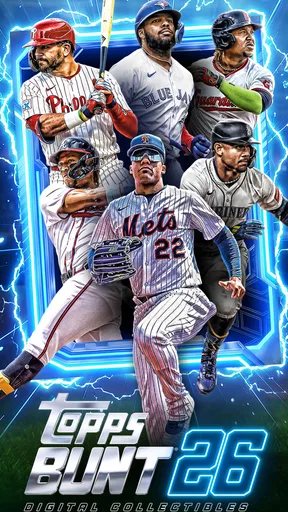
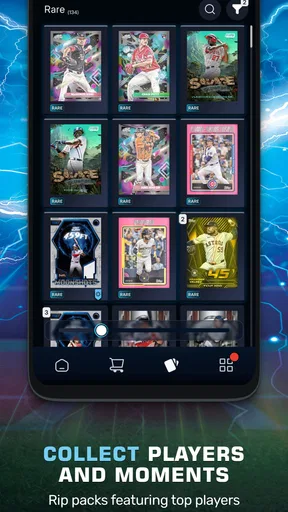
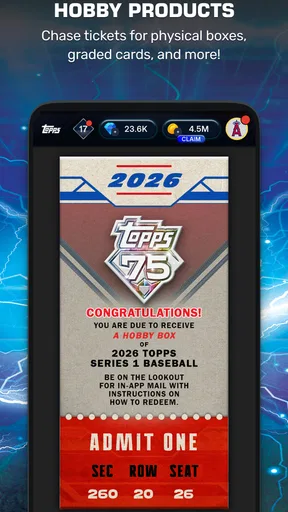
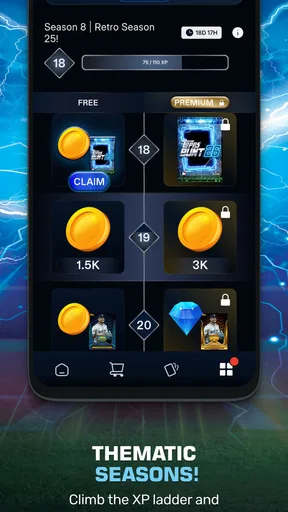
Our Review of Topps® BUNT® MLB Card Trader
 Analysis by Appyee
I like the idea of a baseball-card collection that fits in a phone, but the first few minutes can still leave a new collector wondering what to do next. Topps® BUNT® MLB Card Trader is a sports app from The Topps Company, Inc., built around collecting and trading MLB cards with other fans. Its appeal is easy to understand; getting comfortable with the routine takes a little more patience than simply opening the app and tapping around.
Where a new collector can get stuck
The main early hurdle is working out what makes a card useful to you. It may be a player you follow, an appealing design, or something you hope to trade for later. Those goals are not always the same, so I’d choose a simple collecting focus before chasing every new item. That keeps a growing digital collection feeling personal instead of like a pile of cards with no plan.
Trading can also feel less obvious than opening packs. A proposed exchange is only worthwhile if both sides want what the other has, and a card’s appeal to another collector may not match yours. I’d look closely at what I’m offering and what I’m receiving before confirming anything, especially when a card matters to my own collection. Treating each trade as a small conversation, rather than a quick way to clear inventory, makes the social side more enjoyable.
Setup checks that make the first session easier
The app is free to download and is rated for Everyone. It has been available since May 21, 2014, and its current version is 20.14.2, with Android 7.0 listed as the minimum operating system. It has reached over a million installs, and its average rating is 3.9 from around seventeen thousand ratings. Those figures suggest a well-established collecting community, though a rating cannot tell you whether its pace or trading style will suit you personally.
Before building a routine, I’d make sure the app is running on a supported device and that I can give a session enough attention to browse cards and consider trades. The first visit is a good time to get a feel for the layout rather than trying to complete everything at once. If the screen feels busy, I’d focus on one task—looking through the collection, for example—then return to trading after I understand what I have.
The store’s broad promise is social card collecting, but the day-to-day experience is shaped by choices: what to collect, what to trade, and whether to spend. In-app purchases range from $0.99 to $99.99 per item, so I’d decide on a personal spending limit before browsing them. The free option makes it possible to try the collecting loop first; paying is not a sensible shortcut if the fun for you comes from slowly building a collection.
First Impressions
When I first launched Topps® BUNT® MLB Card Trader, I was immediately impressed by the sleek and user-friendly interface. You’re greeted with vibrant graphics that really capture the spirit of baseball. It’s like stepping into a virtual card shop. Navigating through the app is pretty intuitive, which is great because nobody wants to get bogged down figuring out how to use an app when you’re itching to start collecting.
Collecting and Trading Cards
The app offers a vast collection of MLB cards, from past legends to current stars. Each card is beautifully designed, and the attention to detail is incredible. You can really see the effort put into making each card special. The thrill of opening packs is here too—you never know what you’re going to get, and that’s half the fun!
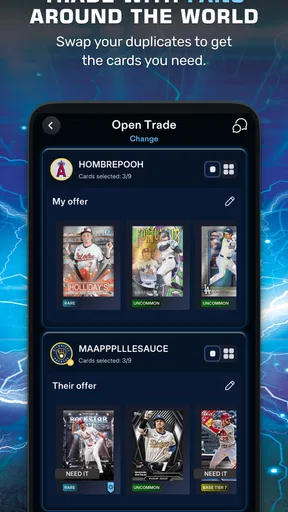
Trading is where the app shines. You can connect with other fans from all over the world. It’s like having a community of fellow collectors right in your pocket. The trading system is straightforward, and the app even suggests potential trade partners based on your collection and needs, which is a nifty feature.
One useful habit is to check your own collection before proposing an exchange. That small pause helps me avoid offering a card I would later wish I had kept, and it makes it easier to decide what I’m actually looking for. Suggestions can help surface possible partners, but I still weigh the trade myself: a recommendation is a starting point, not a reason to accept an offer automatically.
This is also where digital collecting differs from physical cards. There is no binder to sort or shelf space to manage, which is a real advantage if I want to browse a collection during a spare moment. The trade-off is that the pleasure depends on the app and its community; someone who mainly enjoys handling, displaying, or preserving physical cards may prefer paper collecting. I see BUNT as a companion to that hobby, not a replacement for every part of it.
Challenges and Rewards
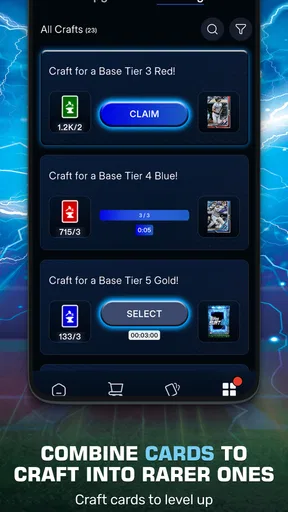
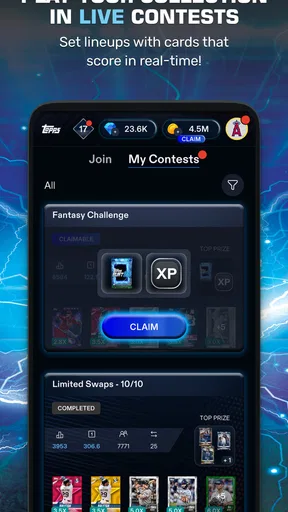
To keep things interesting, the app offers daily challenges and events. Completing these earns you rewards and sometimes even exclusive cards. It’s a great way to keep engaged and motivated to log in every day. Plus, who doesn’t love a good challenge?
The rewards system is generous enough to keep you coming back without feeling the pressure to spend real money. However, there are in-app purchases if you’re looking to enhance your collection quickly.
For a realistic routine, I’d check in when I already have a few minutes free—perhaps during a break or while following a game—rather than turning the app into another obligation. I can look over the day’s activity, make progress on a challenge, or decide whether a trade deserves attention. If I miss a session, I wouldn’t treat that as a failure; collecting should remain enjoyable, and a daily rhythm is only useful if it fits around real life.
Events and challenges can give a collector a reason to return, but they also create a choice about attention. If I’m only interested in a particular team or player, I don’t need to chase every reward. I’d prioritize cards I genuinely want and let the rest pass. That approach makes the collection feel more coherent and helps keep optional purchases from becoming the default response to wanting something quickly.
Social Interaction
One of the standout aspects is the social interaction. You can chat with other collectors, propose trades, and even join in discussions about your favorite teams and players. It adds a layer of community that makes the app more than just a card trading platform.
That community is a better fit for people who enjoy negotiating and comparing collections than for someone who wants a completely solitary collecting experience. I’d keep conversations focused on the cards and baseball interests that brought me there, and take time to review an offer rather than feeling rushed to respond. The social element can make a trade feel more human, but it also means the experience depends partly on finding collectors whose interests overlap with yours.
Compared with a standard sports-results app, BUNT is not primarily about checking a score and leaving; the focus here is the collection and the people around it. Compared with a physical-card shop or a simple inventory app, it puts trading and community into the same mobile experience. That combination is its distinctive strength, but it is not the right alternative if all you want is live game information, a private checklist, or the tactile pleasure of sorting real cards.
Performance and Usability
Performance-wise, the app runs smoothly on both Android and iOS. I didn’t encounter any significant bugs or crashes, which is always a plus. The updates are regular, and the developers seem committed to improving the app continuously. Usability is top-notch, making it accessible for both seasoned collectors and newbies alike.
If something appears stuck, I’d start with basic checks instead of assuming a trade or collection is lost: confirm the device has a working connection, close and reopen the app, and try the action again after the screen has fully loaded. I’d also check that the device’s operating system meets the app’s minimum requirement. These steps are simple, but they help separate a temporary loading problem from a more persistent issue without risking a hurried duplicate action.
When an interaction does not go as expected, I’d avoid repeatedly tapping a purchase or trade control while waiting for the app to respond. Give the screen a moment, then review the relevant collection or activity before trying again. If the problem continues, restarting the app and checking for an available update are reasonable next steps. A weak connection or a device that is struggling can affect a mobile session even when the app itself is not the underlying cause.
It also helps to set expectations about what the app is for. BUNT’s current version is 20.14.2, but the core appeal remains digital MLB collecting and fan-to-fan trading. I would not choose it as a replacement for a dedicated baseball news or score service, and I would not install it solely to manage a physical-card inventory. Knowing that distinction upfront makes it easier to judge the experience on its own terms.
Who will enjoy it, and who may prefer something else
I’d recommend trying it if you follow MLB, like the visual design of trading cards, and enjoy the back-and-forth of finding a mutually appealing trade. It also suits collectors who want to dip into the hobby without storing boxes at home. A newcomer can start with a narrow goal—collecting cards connected to a favorite player, for instance—and expand only if the trading and event rhythm feels rewarding.
I’d skip it if you dislike app-based communities, feel pressured by limited-time activities, or want every card to be a physical object you can hold and display. It may also be a poor fit if you expect a quick, self-contained game: the collection is the point, and trading works best when you are willing to browse and make considered choices. For someone who only wants baseball scores, a score-focused app is the more direct option; for someone who wants physical ownership, a real card collection is a better match.
So, is it possible to enjoy the app without paying? Yes: it is free to download, and I’d begin by exploring the collection and its available activities before deciding whether purchases add anything meaningful for me. The presence of optional purchases is worth keeping in mind, but it does not make spending a requirement for someone who is comfortable building at their own pace. A simple budget—and a willingness to pass on cards that are not important to you—keeps that choice in your hands.
Overall, Topps® BUNT® MLB Card Trader is a fantastic way to enjoy card collecting without the hassle of physical storage. Whether you’re a hardcore MLB fan or just someone who loves collecting, this app provides endless fun and a thriving community to connect with. It’s definitely worth a try for anyone looking to dive into the world of virtual card trading.
If you’re interested in joining the fun, you can download the app directly from the App Store or Google Play. Happy collecting!
Verdict
Strengths of Topps® BUNT® MLB Card Trader
- Immersive MLB card trading experience.
- Frequent updates with new card releases.
- Interactive community with trading options.
- Visually appealing card designs.
- Daily rewards keep engagement high.
Limitations of Topps® BUNT® MLB Card Trader
- Requires stable internet connection.
- In-app purchases can be pricey.
- Limited offline capabilities.
- Occasional lag during peak hours.
- New users may find it overwhelming.
Other Releases by The Topps Company, Inc.
View All
Disney Collect! by Topps®
Entertainment3.5

WWE SLAM by Topps® Card Trader
Entertainment3.8

Marvel Collect! by Topps®
Card3.5

Star Wars™ Card Trader
Card3.6
Similar Picks in This Category
View All
BeSoccer: Soccer Live Score
BeSoccer apps4.3

Cricbuzz - Live Cricket Scores
Cricbuzz.com3.7

NFL
NFL Enterprises LLC2.4

Da Fit
MO YOUNG LIMITED3.6

ESPN
Disney4.5

LiveScore: Live Sports Scores
LiveScore Limited4.5
Frequently Asked Questions
What is Topps® BUNT® MLB Card Trader?
Topps® BUNT® MLB Card Trader is a digital trading card app where users can collect and trade officially licensed MLB cards. The app allows fans to engage with a dynamic community, participate in challenges, and stay updated with real-time MLB news and events, offering an immersive baseball experience.
Is Topps® BUNT® MLB Card Trader free to play?
Yes, the app is free to download and play. However, it offers in-app purchases for coins and packs that can enhance the collecting and trading experience. These purchases are optional, and players can still enjoy the game without spending money by participating in challenges and earning rewards.
How does trading work in Topps® BUNT® MLB Card Trader?
Trading is a core feature of the app, allowing users to swap cards with other players worldwide. Users can propose trades by selecting cards they want to offer and receive. The app includes a safe trading system that ensures all exchanges are fair and mutually agreed upon by both parties.
What are the system requirements for Topps® BUNT® MLB Card Trader?
For Android users, the app requires version 7.0 and up, while iOS users need version 12.0 or later. It’s essential to have a stable internet connection to fully enjoy the real-time features, including live trading and card pack openings. Ensure sufficient storage space for optimal performance.
How often are new cards released in Topps® BUNT® MLB Card Trader?
New cards are released regularly, often coinciding with MLB events, seasons, or special promotions. The app frequently updates its collection with limited edition and special series cards, providing users with fresh content and ongoing excitement. Players can stay informed through app notifications and community updates.
